Building Out Loud with AI (Blog 1): Beginner's Edition
Preview
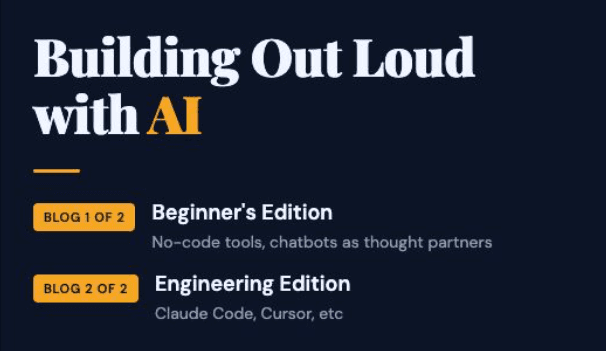
I’ve been building out loud with multiple AI tools including Lovable, Replit, Bolt, Claude Code, and Cursor. This blog is part 1 that talks about the no-code tools and the chatbots. Simultaneously published is Building Out Loud with AI (Blog 2 of 2): Engineering Edition that talks about engineering-first tools.
Also remember that AI moves fast so if you’re reading this blog on a later date, some of the specifics might have changed. Most of this work was done in February 2026 with some updates made in March.
Prefer to skip ahead? The tool comparison is at https://techbees.me/blog/building-out-loud-ai/wincraft-tool-comparison (needs to be viewed on desktop or tablet), and all code is at github.com/boomie-techbees.
My Goal When I Started
I recently willingly embarked on the solopreneur life (through techbees.me, which means a combination of flexible engineering leadership where I work for companies part time or temporarily, career coaching, public speaking, and maybe adjunct faculty’ing).
This means that I don’t have a job where I get to learn on the job. Even if I have a fractional/interim client, depending on what they hired me to do, I may not be involved in their AI build processes.
So, expanding my AI skills would be through my own portfolio. I wanted that portfolio to be as wide as possible because future/potential clients might be using different tools.
Using Chatbot(s) As a Thought Partner
Note, Claude means the AI chatbot, and I’ll say Claude Code when I mean the coding tool.
As part of my experiment, I started by using both ChatGPT and Claude as thought partners, starting with the same prompt to compare the experience as well as the responses.
I had been using ChatGPT for about a year so it had more memory of me. I had just started using Claude a few weeks before this so it had less. Also I intentionally didn’t turn on the memory settings on Claude until much later. So, through most of the experiences in this blog, Claude only had context from the window and the project.
I saved notes on the experiences. But to get to the coding tools quicker, I will summarize to say:
Both chatbots gave me some good suggestions on engineering-related applications I could build based on my profile (resume, speaking history, etc.)
I wanted to start with more general purpose apps so I gave both of them 5 ideas I had. They both picked the same app as the top choice (WinCraft though that was not the original name, more on that in this blog). They both listed the same second choice but both told me I’d have to narrow the scope.
On asking for which tools to build in, there was no overlap in the suggestions. ChatGPT suggested Lovable or Replit or a CustomGPT. Claude suggested Bolt, Claude Code, or Cursor.
I asked both about moving to a dedicated window for the Wins project and they both said yes. I asked both to generate something downloadable I could use as context in the new window. Claude created something that needed no edits. ChatGPT gave something that was missing key info. I pointed that out and it generated something else.
By this point, I had decided to continue in Claude as my primary AI thought partner. ChatGPT has some features I like (like canvases, the ability to archive chats, etc) but I got tired of asking it to be “briefer but not curt” and having to do so much QA and back-and-forth on downloadable documents. I did occasional check-ins with ChatGPT when I specifically wanted to compare recommendations.
I did ask both for name suggestions and I went with WinCraft which ChatGPT suggested.
Again, I have more detailed notes, but let’s go on to the tools!
Why WinCraft?
If you’ve known me for more than a week you’ve likely heard me talk about keeping track of your wins/kudos.
Humans are inclined to focus on the negative. And let’s face it, so many things go wrong. But things also go right and it’s easy to forget them. When we actually look for our wins, we often find more than we thought.
A prior boss said I should make a customGPT for that and I could even sell it. It’s one of the 5 ideas I sent the chatbots and they both said “This is so you!”. It makes it easy to track your wins and impact and in v1 will use AI to create a summary or resume bullet points. Many more features coming.
My Initial Plans
I decided to skip a custom GPT because I wanted storage outside of a Chat window.
I decided to build in this order and later decided 4 was enough.
Bolt (recommended by Claude)
Lovable (recommended by ChatGPT)
Replit (recommended by ChatGPT)
Claude Code (recommended by Claude and the real destination)
Cursor (recommended by Claude)
The No-Code Tools: Process
For this first batch, I specifically wanted to use tools that non-technical people might use so I could make recommendations to my non-coding friends. So, I prioritized the no-code (no-terminal, no CLI) tools: Bolt, Lovable, Replit.
Both chatbots offered to give me starting prompts. For this stage, I declined. I did have my starting prompt reviewed by both but didn’t make changes because I intentionally wanted to use a prompt that was vague to see how the tools would respond. Note that this is hard for someone who has an engineering background because we’re used to having to be precise, ha.
I did take the advice from both chatbots to cut scope because v1 was asking too much. I estimate there was 90% overlap in what they suggested cutting, though they had different approaches to v2.
I cut some scope from my prompt for MVP v1. Then I used the *exact same prompt* for all tools. Seriously, I didn’t change a single character.
The No-Code Tools: Summary
I have detailed notes on this but I’ll summarize as follows:
Note: I used AI to summarize my raw notes for the table below, with light edits from me.
Short Version (Click for the longer summary)
Dimension | Bolt.new | Lovable | Replit |
Speed to first working version | Slow, ran out of tokens before completing, had to upgrade mid-session | Fast, built and previewed in under an hour | Fast, working app in about 5 minutes with test data seeded |
Plans before building? | Yes, thorough plan with clarifying questions | Plan mode available but built immediately without asking | No free plan mode; used "fast mode" instead |
Smart defaults | Low, asked permission frequently | High, made design and feature choices without being asked | High, added test data and a search feature without being asked |
AI features working out of the box? | No, required 1+ hour of debugging | Yes, worked after one follow-up prompt | Almost, required a minor environment variable fix |
Cost surprises | $25/mo upgrade required mid-session, plus $5.15 for an API key | Free credits ran out before polishing | Free daily credits depleted at 66% after two feedback rounds |
Best for | People who want control and are willing to troubleshoot | Non-technical users who want something fast and beautiful | Non-technical users who want fast results with a few more guardrails |
⚠️ Please note that none of these versions are maintained.
The maintained version was built with Claude Code which is discussed Building Out Loud with AI (Blog 2 of 2): Engineering Edition.
If you’re curious, here is the first Building Out Loud post on LinkedIn (if you’re a FB friend, I also cross-posted there).
Frankly, I should have just posted this blog then instead of waiting til I had more tools tested but maybe it’s a good thing I did because now you get a different example.
The Delay on GitHub’ing
At the time, I asked both chatbots whether I should start using GitHub to store the code. The answers were opposite.
Claude said not yet, that speed matters more at this stage, and suggested some alternatives in the meantime. ChatGPT said yes, start now.
This was a little surprising to me since Claude's recommendations felt more code-heavy overall. But I decided to follow Claude's advice and prioritize speed. Maybe that was laziness (though I've never been called lazy).
Or maybe it was this line that got me: "This actually makes your comparison MORE realistic - most people trying these tools for the first time aren't setting up repos first."
That landed. So I didn't.
Study Buddy App from SheBuilds Day
Learning about free Lovable credits for International Women’s Day
In one of the thousand (ok, dozens not thousand) Slack groups I’m in, I learned about SheBuilds day where on International Women’s Day we could build free with Lovable. At this time, I didn’t really intend to build something big, just to get more experience with Lovable while it was free. If you recall, I ran out of daily credits after 2 prompts in building WinCraft. So why not?
Brainstorming Ideas and Reasons Behind Each Idea
I had a few ideas going in. My purpose was to try Lovable, but also potentially build something I could actually use. Here's what I was considering and why:
A study tool with flashcards and quizzes. As someone juggling multiple fractional clients each with their own terminology, having one place to study made a lot of sense. I built this, more on that below.
A job search agent. I'm not actively looking for a full-time role right now, but it would be useful if I were. I skipped this because even though Lovable said it could build an agent, I didn't think it had the capabilities I wanted.
A rewrite of my TechBees coaching pages. I decided it wasn't urgent enough to spend that day on. Though a few days later I tried it anyway. I specifically asked Lovable to give me a plan and a credit estimate before doing anything. It asked me a few questions, then burned 4.1 of my 5 available credits on something I didn't like. Lesson learned: even when you explicitly ask Lovable to plan first, it may just start building.
Study Buddy: The App I Didn't Plan to Love
I'll be honest. Study Buddy was supposed to be a low-key experiment. I just wanted more Lovable experience while the credits were free.
The original version came out better than I expected, and I kept going back to tweak it. Then I kept going back to actually use it. As someone who juggles multiple fractional clients, each with their own terminology, having one place to turn notes into flashcards and quizzes turned out to be genuinely useful. Not just a portfolio piece.
I've added features since then and I'm still using it regularly. If I run out of monthly Lovable credits, I'll probably just upgrade. That's how I know it worked.
Other Things I was Doing on That Day
Friday evening, someone had reached out to me excited about SheBuilds day and asking if I could teach her enough to be comfortable with that day. My inner-teacher was excited about this but of course I wanted enough time to build as well as spend time on other things that Sunday. I quickly whipped together a half-hour course, set up a Zoom drop-in/drop-out for those interested.
Sunday turned into a day of community in addition to building. Some highlights for me:
The Zoom participants included family, friends, and people I'd never met before, women and men across a range of experience levels.
Those who were there for the quick-course (or watched the recording later) found it helpful and we dug into some of the fine print and relevant documentation provided by the vendor.
We talked about what people wanted to build, and talked about finding the right tool for the projects.
So much coolness from participants:
One of the participants explained concepts to someone who had missed the quick-course.
One of the Zoom participants wanted to build a job search agent. I had literally built one for myself the night before so I shared the Claude chat and also sent the group my GitHub repo. She ended up getting hers built as well, and said it was quite easy once she got Claude Code working.
One of the Zoom participants built a workflow that included a trigger, Perplexity for search, and a dashboard output.
One of the participants dropped off early but forked one of my repos first.
We shared progress, helped each other out, and I was able to answer all the questions while doing my own build.
In the background on this Zoom that ended up going to 6 hours were four kids (one of which was mine), so I had to ensure they were all fed and playing safely.
I had friends who couldn’t make the Zoom. I shared the course slides and recording with them, and at least one of them built something later that night.
I was also in a WhatsApp group where we shared our builds. One of the members shared a summary on LinkedIn.
It was all so beautiful to see and be part of.
The Engineer-Focused Tools
That’s it for this blog. For length reasons, I’ve moved the engineering-focused tools to a sister blog being published at the same time. It’s at Building Out Loud with AI (Blog 2 of 2): Engineering Edition and it includes building WinCraft in Claude Code, building an Agent, and other projects done in Cursor.
Summary
There are a lot of AI tools out there. They have their advantages and disadvantages, and they’re all moving fast.
If you want to build, you can do it. My only recommendation is to have an engineer review anything that would be made public to ensure it handles security well and there aren’t huge bugs.
Links
All the apps, repos, and posts from this series are at techbees.me/blog/building-out-loud-ai
Connect with me on LinkedIn (linkedin.com/in/odumade) or find my work at GitHub (github.com/boomie-techbees)
Closing
That’s it for this blog. Building Out Loud with AI (Blog 2 of 2): Engineering Edition is available for more reading.
If you have questions or want to discuss anything further, just let me know.
Thank you for reading.